
Remote desktop for Windows
Download Deskbat for Windows 10 and 11. Access your computers, provide remote support by ID, and set up unattended access.
Install Deskbat on the Windows computer you want to reach and on the Windows computer you use to connect. Sign in to manage your computers and help someone by their Deskbat ID.
The download link serves the latest published Windows installer.
Before you install
- Windows 10 or Windows 11, 64-bit.
- Administrator permission is required for installation.
- Create a Deskbat account and verify your email. Sign in as a workspace owner or administrator to add a computer.
- Both computers need an internet connection. Keep the remote computer powered on, awake and running Deskbat.
Choose how to connect
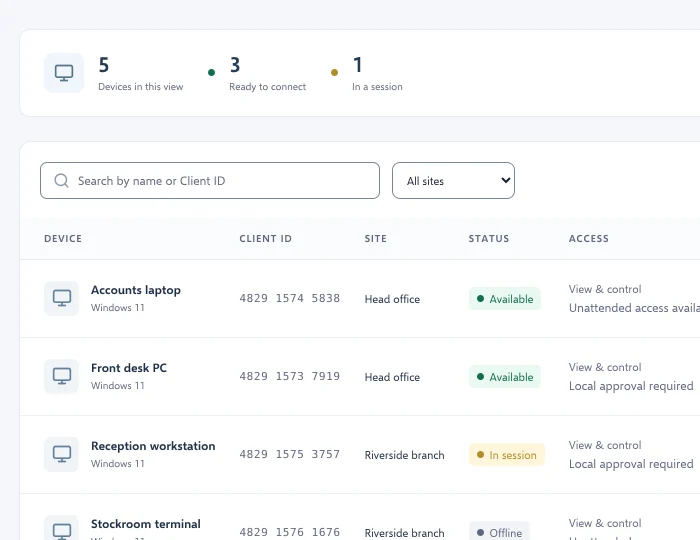
Select a computer in your workspace, or enter a Deskbat ID in Search or connect. The person at that computer can approve your request. If its owner has configured unattended access, use its separate computer password. An ID alone does not grant access.
Updates and other devices
On Windows, use Settings → About Deskbat to check for updates. Automatic updates wait until no remote sessions are active. You can also view and control Windows from our iPhone and iPad TestFlight beta. Mac is coming soon; Android and Linux downloads are not publicly available.